
Proof of concept · WP Creative
Titan Shutters on Payload CMS
You said you were exploring Payload CMS. We ran the compatibility check ourselves — this page is the live record of what was built, kept up to date as we add to it.
New: edit this site by talking to Claude. No CMS login required — Claude reads and updates the live content directly over MCP. See how it works below ↓
Why we built this
Not a mockup
This is your real homepage content running on Payload CMS, with a working editor behind it and AI capabilities you can use today. You did not ask us to build this, and no decision is assumed — we took your heads-up as a prompt to test whether Titan’s site would genuinely run on Payload, so that if you do go ahead you are deciding on evidence rather than estimates.
Your content, not placeholder
Every headline, image and link came out of your existing site. Your fonts, your logo, your photography.
A real editor
Section-based editing that mirrors the flexible content model your team already uses in WordPress.
AI that cannot invent
The on-site assistant answers only from your CMS content, so it cannot make claims about products you do not sell.
Edit it by asking Claude
Claude can read and update the site directly, without logging into the CMS at all. Set up below.
One honest note. Payload is not automatically more AI friendly than WordPress. What makes a site AI friendly is structured content and clean APIs, and your WordPress already has both. The platform question and the AI question are separable, and you should be free to decide them separately.
The site
Your homepage, served from Payload
Full-bleed hero slider, journey steps, product columns, reviews and contact — matched to your current design system, typography and brand colours.
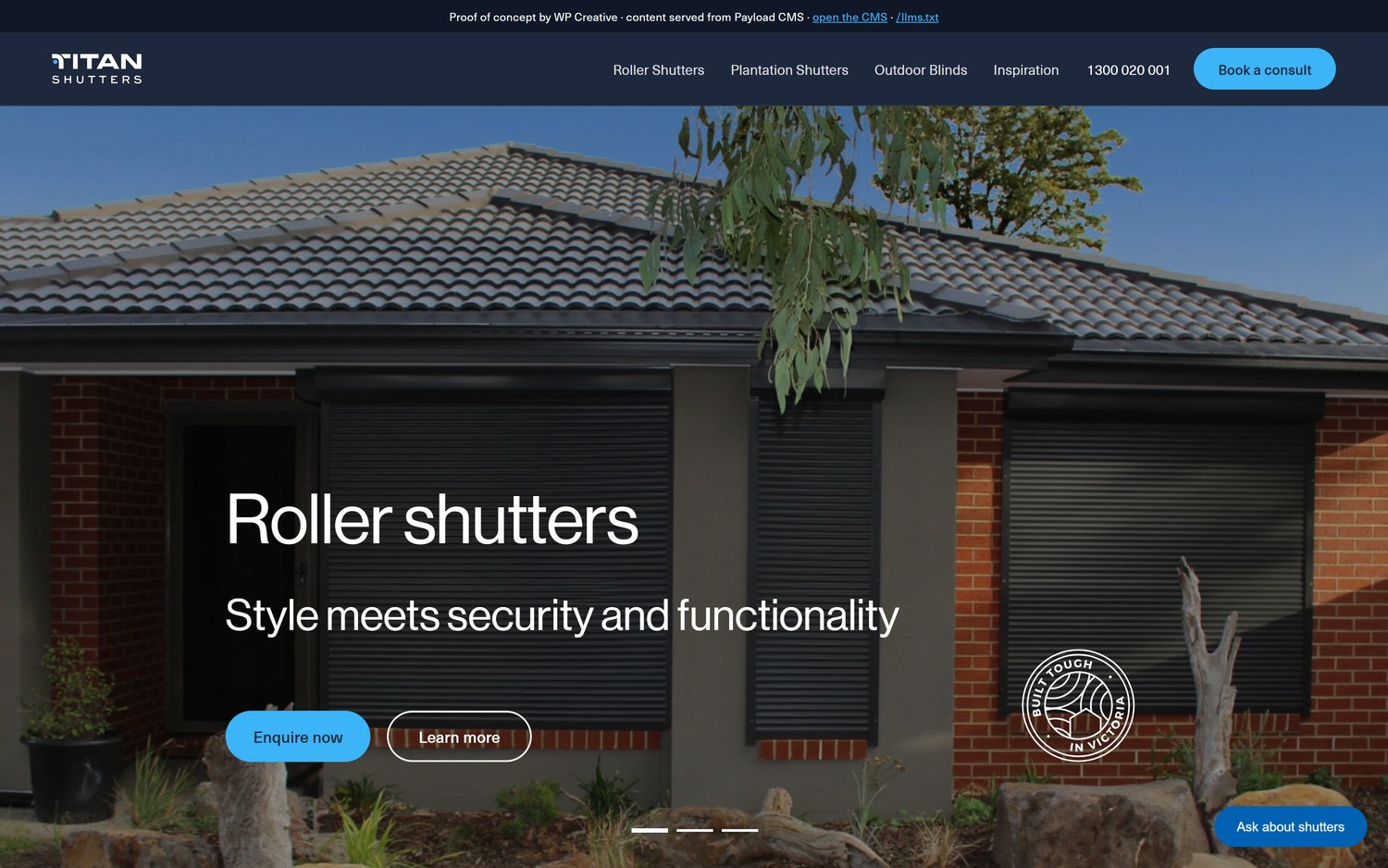
Hero slider · three slides, your imagery, auto-advancing
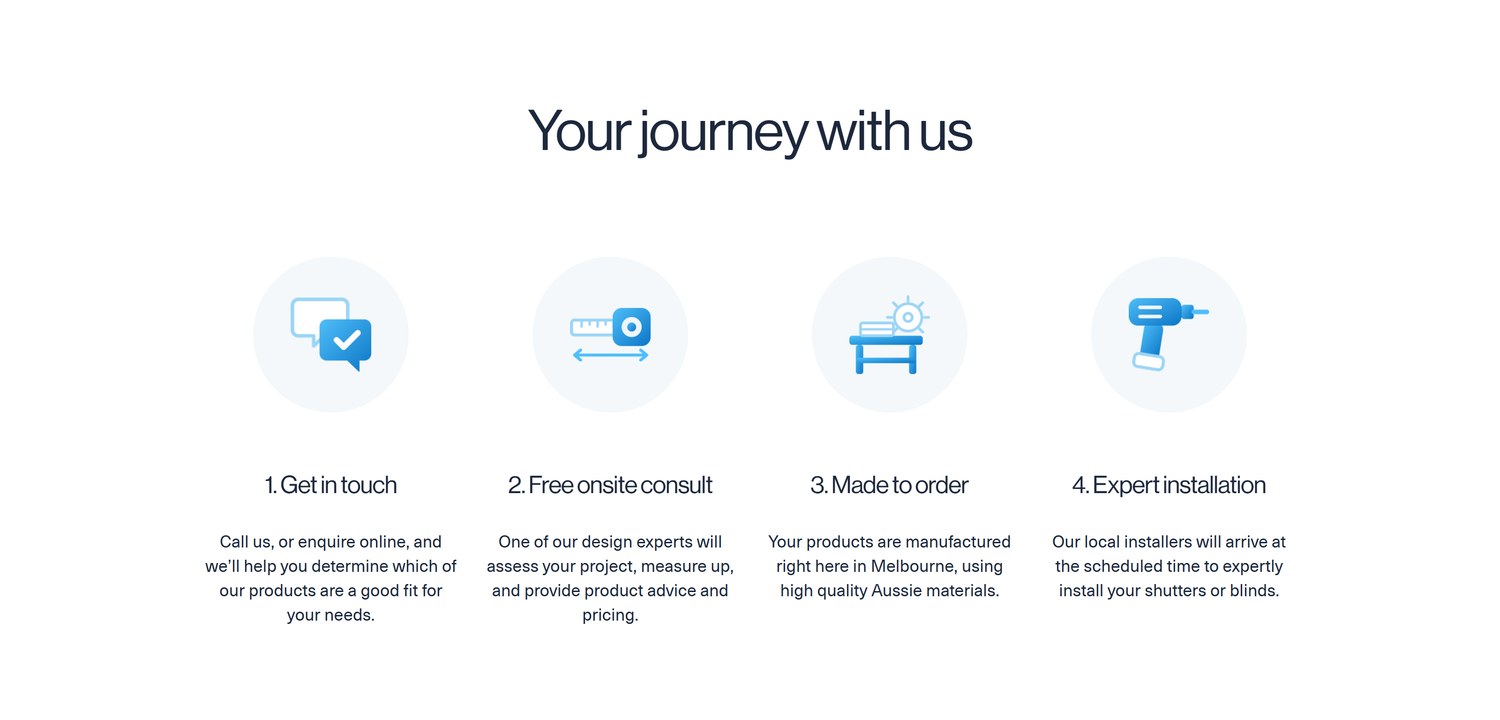
Your journey with us · rebuilt to the same specification as your live theme
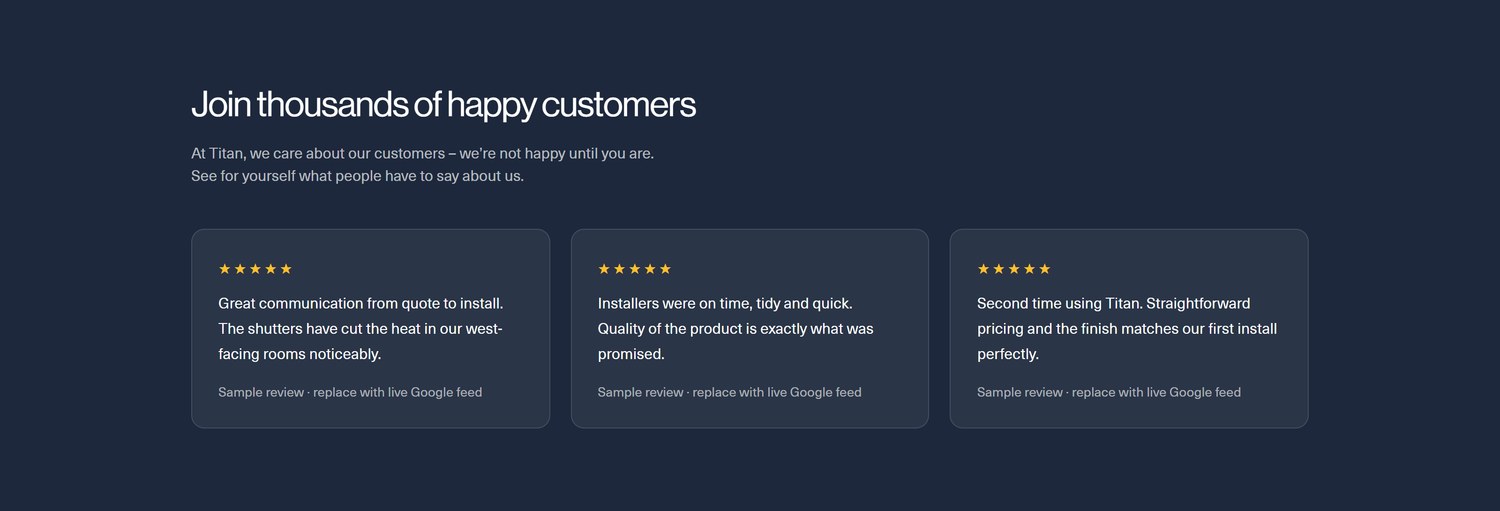
Reviews · clearly labelled sample content, see the migration section below

Contact · your real phone number and trading hours, pulled from WordPress
The editor
A working CMS, not a static page
Your team logs in and edits, exactly as they do now. Changes appear on the site immediately — no developer, no redeploy.
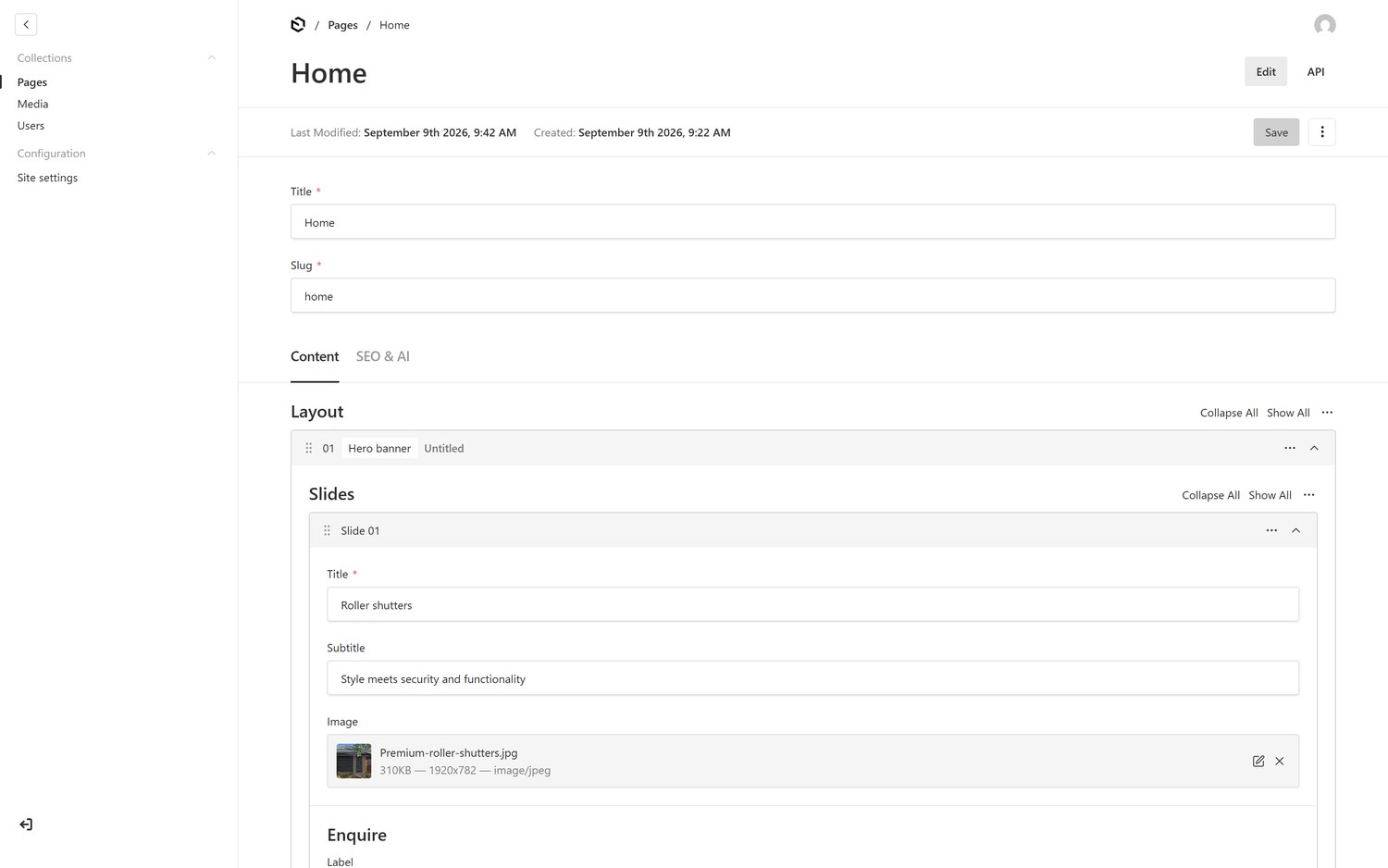
Page editor · sections you can add, reorder and remove, mirroring your ACF flexible content
| CMS login | /admin — demo@wpcreative.com.au |
| Password | Ask your account manager for the current password |
The AI layer
Three things AI does on the site itself
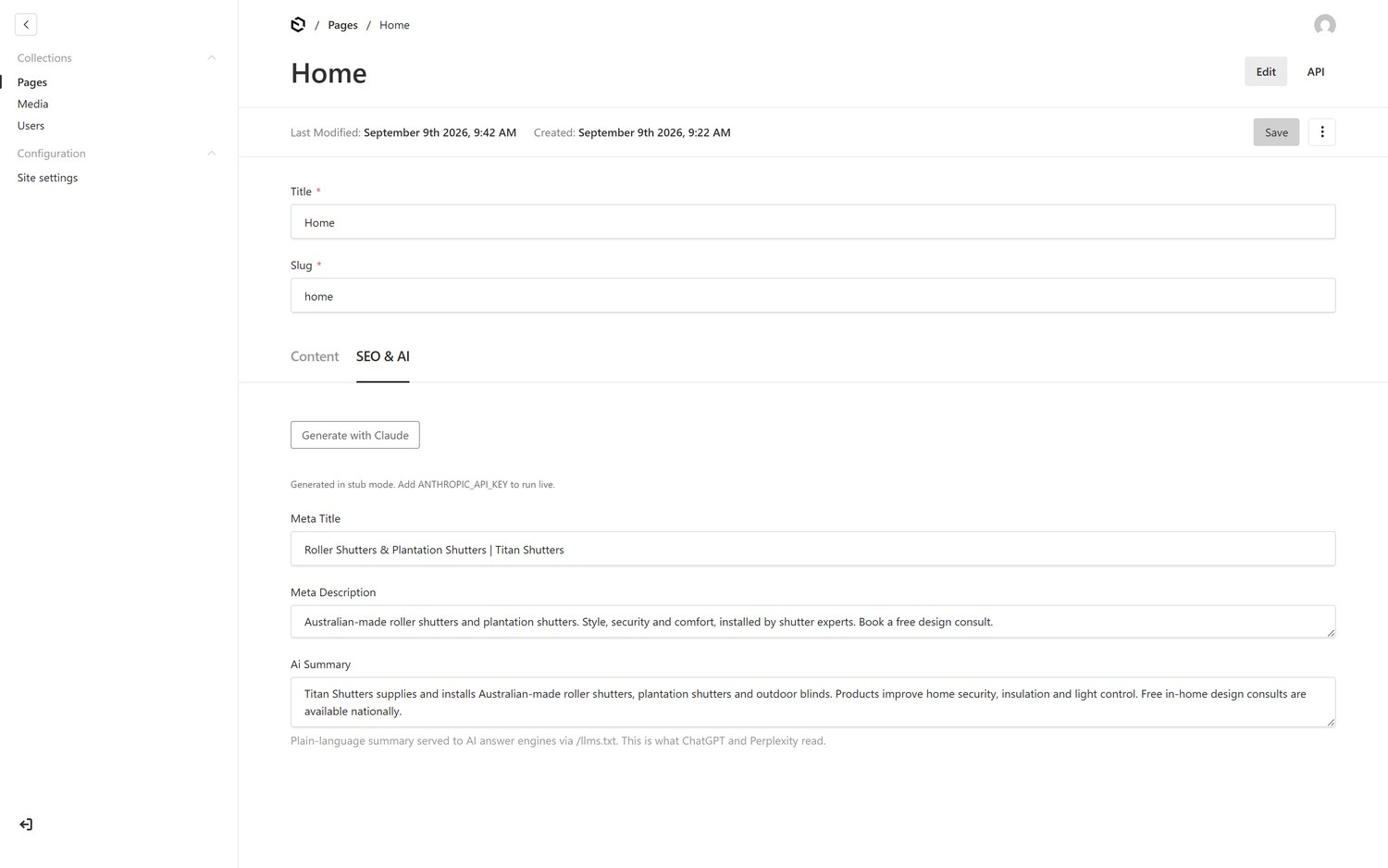
One click writes the page title, meta description and an AI summary from the page’s own content
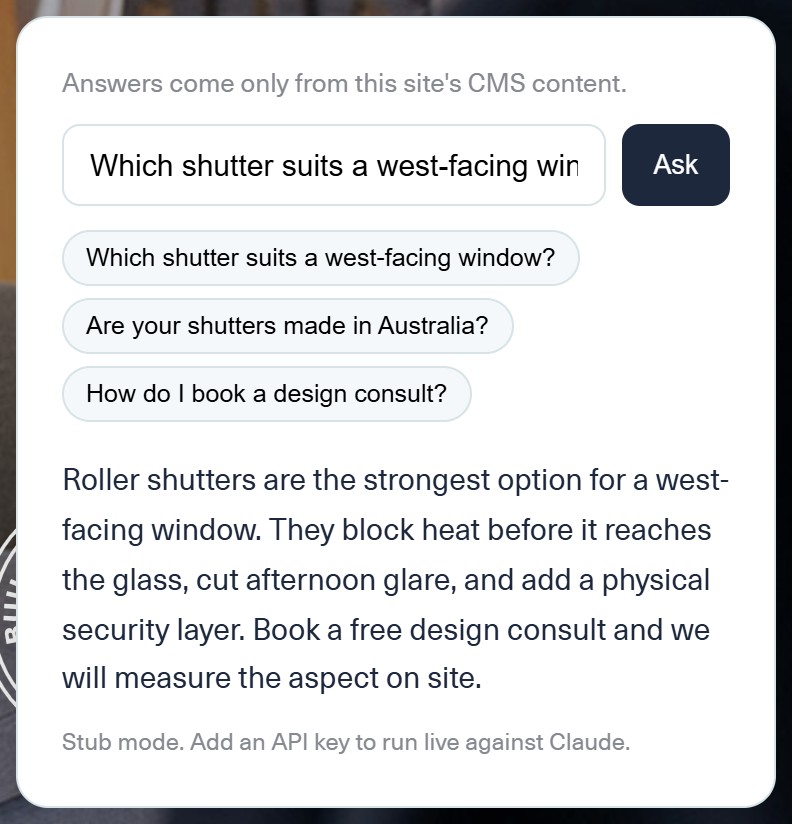
On-site assistant — answers only from CMS content, so it cannot invent product claims
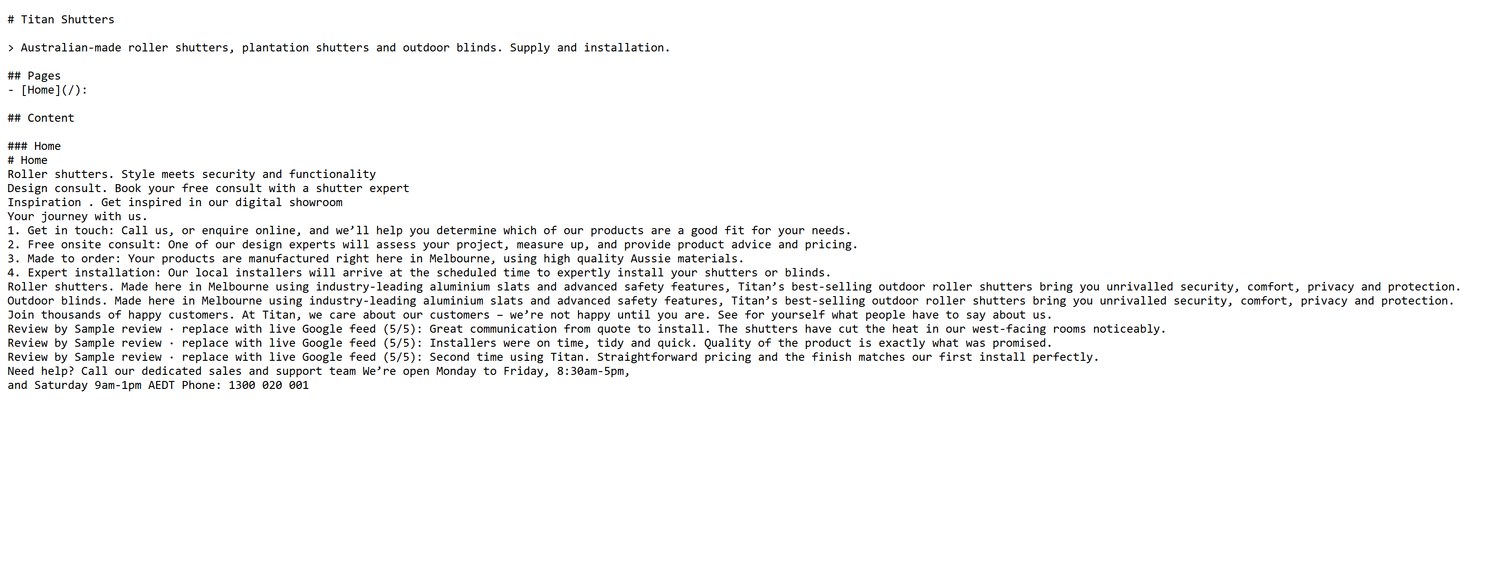
/llms.txt — a machine-readable summary of the site, generated from the CMS, for ChatGPT, Perplexity and Google AI Overviews
Edit the site from Claude
No CMS login required
Claude can read and update this site’s content directly, using the Model Context Protocol (MCP) — an open standard for connecting AI assistants to real tools and data. This uses the official Payload MCP plugin, so it is talking to the same content the CMS edits, not a copy.
What it can do
- Read and update any page’s content and layout
- Read and update site settings — navigation, footer, phone number, assistant copy
- Read the media library
Deleting is switched off everywhere. An assistant should never be able to remove a live page or image.
Set it up in Claude Desktop
- Generate an API keyin /admin → API Keys, create a new one, enable it, tick the scopes you want, save, then copy the key — Payload only shows it once
- Open your Claude Desktop configSettings → Developer → Edit Config
- Add the Titan serverpaste the block below, keeping any other servers already there, and swap in your key
- Restart Claude Desktop fullyquit from the system tray too, not just the window
- Start a new chat and try it“Using the titan tools, show me the current site settings for Titan Shutters”
{
  "mcpServers": {
    "titan": {
      "command": "npx.cmd",
      "args": [
        "-y",
        "mcp-remote",
        "https://payload-cms-rho-lake.vercel.app/api/mcp",
        "--header",
        "Authorization: Bearer <your generated API key>"
      ]
    }
  }
}
On Windows, the command must be npx.cmd, not npx. Claude Desktop resolves npx to its full install path and can pass it to cmd.exe unquoted, which breaks on the space in “Program Files”. Using npx.cmd avoids that resolution step. Mac and Linux do not need this.
Before this runs unsupervised on a live site. Writes through chat have no preview and no approval step. Fine for a demo, a real risk on a live site. Production should scope reads freely but gate writes behind draft status, so Claude proposes and a person publishes.
How we did it
The migration is a script, not a retyping exercise
We wrote a bridge that reads your WordPress content directly and outputs it in Payload’s format — one rule per section type. Adding a new page means adding a rule, not starting again.
- Read WordPressthe script loads your site and reads the ACF flexible content on any page
- Translate each section typebanner, journey, two column, reviews, contact — each has its own rule
- Move the mediaimages are pulled from the live site and re-hosted, keeping the original WordPress ID
- Load into Payloadcontent, images, navigation, logo and phone number, placed automatically
Your Google reviews render client-side via a third-party widget, so there is nothing stored in your database to move — the demo shows clearly labelled sample reviews. A production build would sync the Google Business Profile API into the CMS on a schedule.
Scope and technology
What is built, and what a real migration involves
Built
- Homepage with five content sections, fully editable
- Content management system with user login
- AI drafting, on-site assistant, machine-readable output for AI search
- Direct content editing from Claude via MCP
- Automated migration script, extendable to every other page type
Deliberately not built
- All other page types and templates
- Gravity Forms and the Microsoft Dynamics CRM connection
- Embedded Power BI reporting
- The 360 degree product viewer
- Site search, redirect map, and existing SEO history
- Performance and caching layer, currently NitroPack and WP Rocket
This list is the real cost of a replatform. The CMS itself is the straightforward part — every integration above has to be rebuilt or replaced. That is the conversation worth having before a platform decision, not after it.
| Content platform | Payload CMS |
| Front end | Next.js, React, TypeScript |
| Hosting | Vercel |
| AI | Claude API, via MCP for direct editing |
| Demo storage | Turso and Vercel Blob — a production build would use a managed database and enterprise object storage |